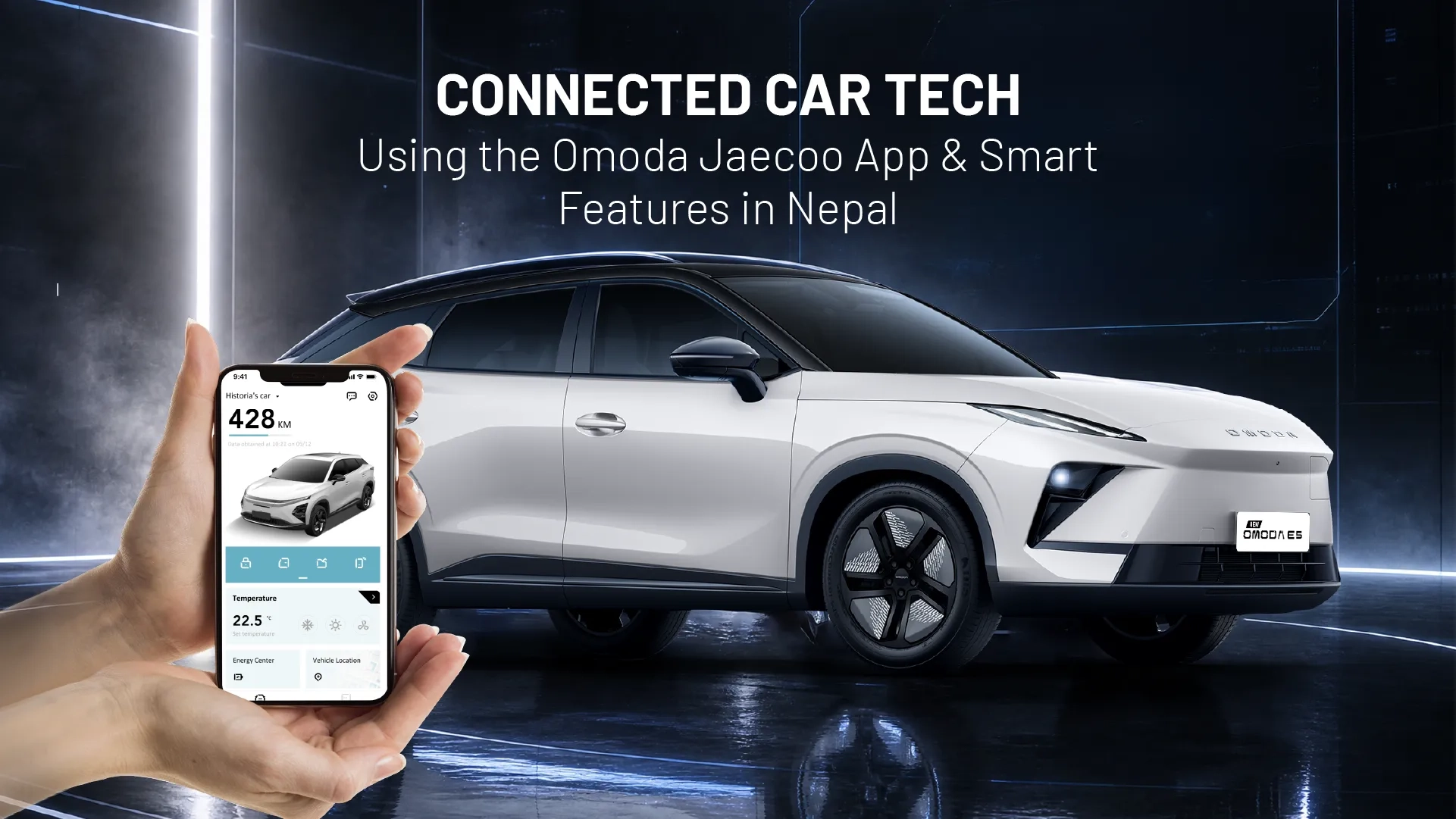
Connected Car Tech: Using the Omoda Jaecoo App & Smart Features in Nepal
September 18, 2026
Connected Car Tech: Using the Omoda Jaecoo App & Smart Features in Nepal
September 18, 2026
Check battery, charging, and vehicle status remotely.
Use supported climate preconditioning for better cabin comfort.
Monitor tyre pressure and vehicle alerts before longer drives.
Use location, charging, and trip-history tools as part of normal ownership.
Confirm app activation and available features during delivery.
Connectivity and feature availability depend on the vehicle, market, and network.
A premium electric SUV should make the drive easier. It should make ownership easier, too.
That is where the Omoda Jaecoo App Nepal becomes useful. For compatible OMODA and JAECOO EVs, the connected platform brings selected vehicle information and remote functions to your smartphone, allowing you to stay connected with your SUV even when you are away from it.
You can check battery status before leaving a Kathmandu office, prepare the cabin before a hot afternoon in Biratnagar, monitor charging from home, check reported tyre pressure before a highway trip, or find where you parked the vehicle.
This guide explains what the app does, how to activate it, and how its smart features fit into real EV ownership in Nepal.
The Omoda Jaecoo App Nepal is a smartphone-based connected-car platform for compatible OMODA and JAECOO vehicles. It connects your mobile account with the vehicle's telematics system, providing supported information and remote functions through the app. .jpg)
Official JAECOO documentation lists vehicle-status checks, battery and range information, internal temperature, remote pre-conditioning, tyre monitoring, charging controls, vehicle location, virtual fencing, diagnostics, and remote horn/light activation. Feature availability can vary by vehicle and market.
That distinction is important for Nepalese buyers. A feature available on an international model should not automatically be assumed to be identical on every Nepal-market vehicle.
Once the account creation, vehicle pairing, and activation process are finished, connected services can be used by compatible vehicles in the Nepal market.
The Omoda Jaecoo App Nepal depends on the vehicle's telematics system, the mobile application, and the connected service and available cellular connectivity. If the vehicle is connected via 4G/mobile networks, performance will still rely on the coverage and local network conditions.
The information about 4G connectivity should not be interpreted as continuous connectivity in all areas of Nepal. There can be varying levels of connectivity in Kathmandu, highways, valleys, and remote areas. A remote command or vehicle status may take longer to complete due to a temporary connection problem.
Therefore, we recommend activating the app and testing the functional capabilities at the time of delivery.
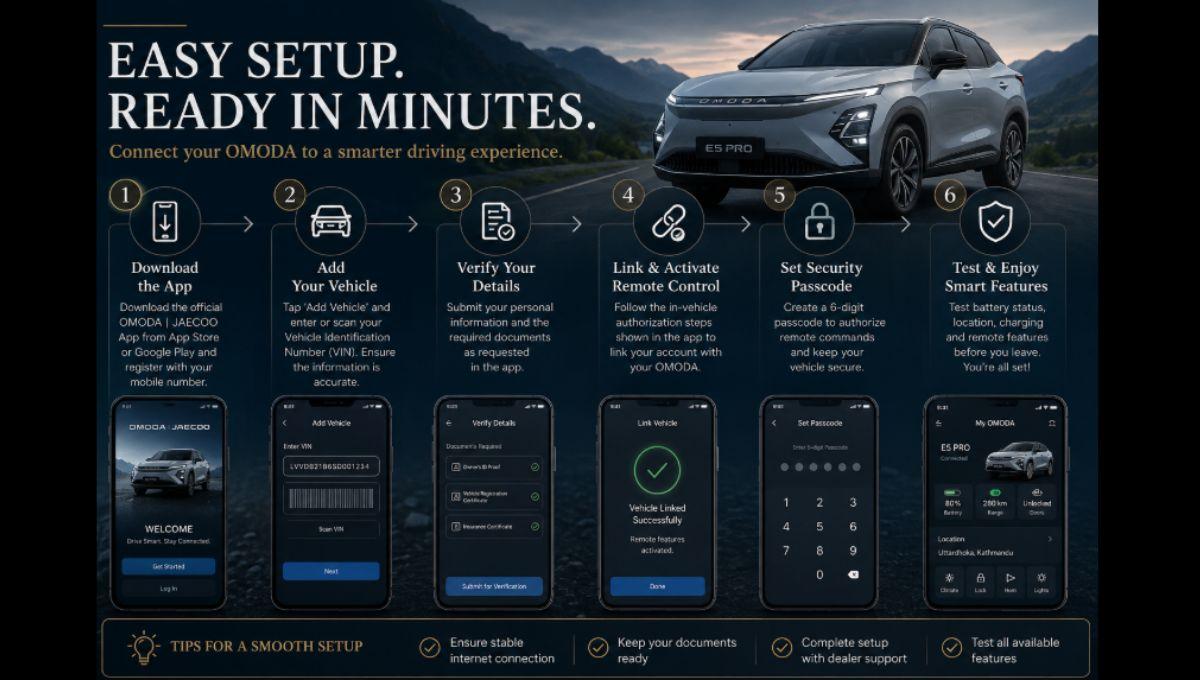
The official activation sequence goes in a simple sequence.
Please download the official OMODA JAECOO app from the respective app store and register by providing the mobile number and verification method asked.
Click Add Vehicle and fill in or scan the necessary vehicle identification details (VIN). Make sure the information displayed on the app is accurate.
Submit the owner's information and supporting documents requested by the application.
Follow the in-vehicle authorization process shown on the app; this links your account to the vehicle's remote functions that are supported.
If necessary, generate the security code for remote commands. The official set up process has a six-digit passcode stage.
At delivery, test the available battery, location, charging, and remote functions. This step will be much easier with dealer support than without, as you will need to troubleshoot activation once you get home.
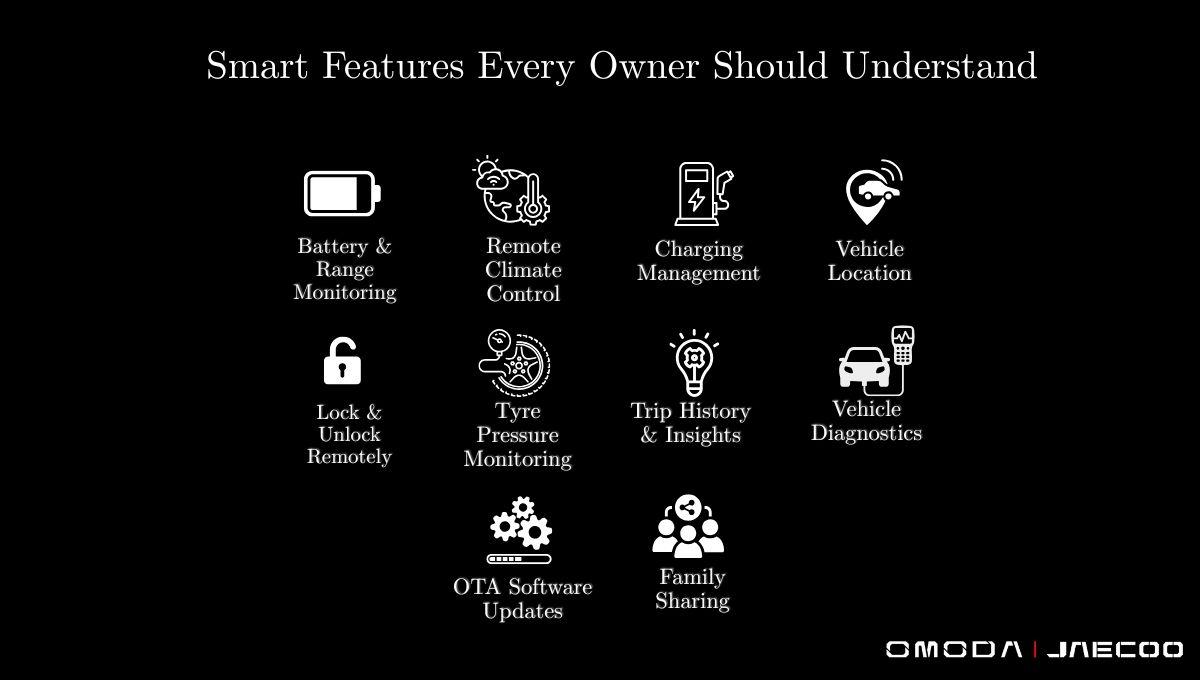
The Omoda Jaecoo App Nepal allows supported vehicles to remotely display the status of the battery, estimated range and charging information.
This is helpful for regular Kathmandu trips, or longer trips towards Pokhara, Chitwan, and other places. Knowing your starting charge ahead of time can help make your trip more predictable.
This estimated range remains an estimation. Real world consumption can be affected by speed, traffic, elevation, temperature, passenger load, and climate use.
Learn more in our Omoda E5 Pro specifications and range guide.
One of the most practical connected features for Nepal is Remote pre-conditioning.
It is possible to prepare the cabin before entering the vehicle on the supported vehicles. This is very helpful after leaving the heat of Terai or on a cold morning in Kathmandu.
Official app documentation also includes functions like heated seats, heated steering wheels, and windshield defogging/heating.
These functions may differ depending on the vehicle, so please make sure to confirm what these functions your model supports when you receive it.
Forgot to lock the SUV after leaving the office or restaurant?
Where supported, remote controls allow you to manage the vehicle locking function from your phone. It is a small convenience, but one that can save an unnecessary return trip.
Protect your account's credentials and only authorize trusted users.
The app can provide vehicle-location information on supported vehicles.
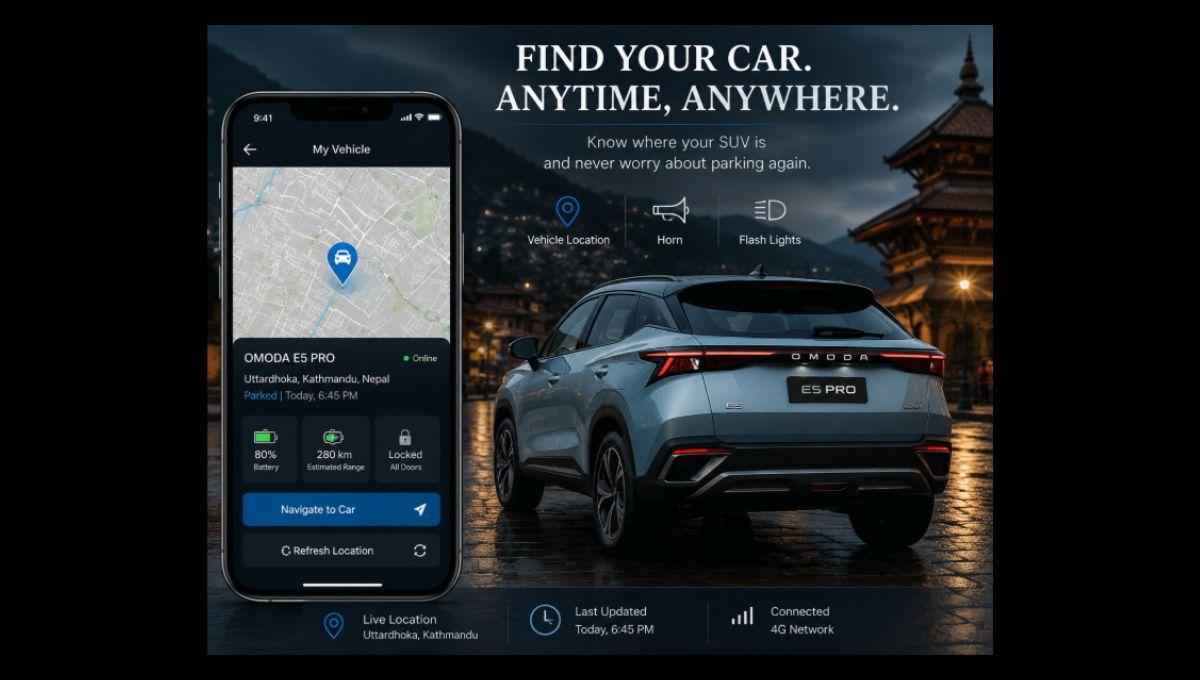
This is useful when you have parked in a busy Kathmandu area and cannot immediately remember where the SUV is. Official documentation also lists virtual fencing and remote horn/light activation for applicable vehicles.
These functions are better described as connected location services rather than guaranteed continuous live tracking everywhere.
Charging management can make EV ownership easier to organize.
Supported services show charging status, state of charge, and remaining charging time. Applicable vehicles can also support scheduled charging and departure time planning.
For daily driving, this lets you build charging around your normal routine. For longer journeys, combine the app with our EV charging stations in Nepal, which lists charging points across major cities and travel routes.
Tyre pressure affects safety, efficiency, comfort, and tyre wear.
Supported connected services can display reported pressure for all four tyres.
This is especially useful before highway and hill journeys and during Nepal's monsoon season, when potholes, rough construction areas and damaged road surfaces can increase tyre-related risks.
The app does not replace physical inspection. If a tyre appears damaged or shows an abnormal reading, have it checked before driving.
Trip history can help you understand how you actually use your EV.
A Kathmandu traffic commute consumes energy differently from open highway driving or climbing a hill route. Reviewing journey information over time can help you recognize your normal consumption patterns and plan to charge more confidently.
For first-time EV owners, this is also a useful way to understand the difference between official range figures and real-world driving conditions.
The Omoda Jaecoo App Nepal can provide supported vehicle alerts and diagnostic information.
Official connected-service documentation includes vehicle diagnostics among the platform's capabilities.
An alert is an indication that something may need attention, not a complete diagnosis. A professional inspection is still required when a physical issue or fault needs investigation.
For servicing, use our EV service page.
Software is an important part of a modern, connected vehicle.
Where OTA functionality is supported, eligible software updates can be delivered through the vehicle's connected system. However, update availability and installation procedures can vary by model, software version, and market.
Some updates may still require additional steps or authorized service support. Do not assume every update will be completed automatically.
The Omoda Jaecoo App Nepal can be useful when one vehicle is shared by several members of a household.
Supported connected services allow authorized additional users. Official JAECOO information states that up to 10 authorized users can be supported for applicable functions.
Use individual authorized access rather than sharing your primary login credentials and remove users who should no longer have access.
|
Feature |
What It Does |
Practical Nepal Benefit |
|
Battery monitoring |
Checks supported battery and range information |
Plan daily and longer trips |
|
Remote climate |
Pre-conditions the cabin |
Useful in Terai heat and cold mornings |
|
Lock/unlock |
Controls supported locking functions |
Convenience and security checks |
|
Vehicle location |
Displays supported location information |
Easier parking and vehicle finding |
|
Charging control |
Monitors and schedules charging |
Better charging routine |
|
Tyre monitoring |
Displays reported tyre pressure |
Highway and monsoon checks |
|
Trip history |
Reviews journey information |
Understand energy use |
|
Diagnostics |
Shows supported alerts |
Earlier issue awareness |
|
OTA updates |
Supports eligible software updates |
Keeps supported systems current |
|
Family sharing |
Authorizes additional users |
Easier shared ownership |
The Omoda Jaecoo App Nepal becomes most helpful when it is connected to a situation that we face every day in our daily life.
Kathmandu: Before going into heavy traffic, check your battery; use vehicle-location tools in situations where parking is challenging.
On hill routes in Pokhara: check battery and charging before longer journeys.
In Biratnagar, Butwal and other Terai cities: use supported pre-conditioning before entering a vehicle that has been parked in high temperatures.
In monsoon: Ensure that reported tyre pressure and vehicle condition is confirmed prior to extended trips, whilst also conducting a physical tyre inspection.
If you are not in Kathmandu, use the app for regular monitoring and only use physical assistance when needed by contacting an authorized service location.
Our dealer network and service network cover major locations across Nepal, including Kathmandu, Pokhara, Biratnagar, Birgunj, Butwal, Narayanghat, Nepalgunj, Itahari, Birtamode, Surkhet and Dhangadhi.
A vehicle handover should include connected technology.
When leaving the showroom, check:
Your account is registered correctly.
The correct VIN is linked.
Battery and vehicle status refreshes are correct.
Supported location functions work.
Where available remote climate and locking functions respond.
Charging controls are visible to your vehicle.
Where supported, tyre information will be seen.
Your security settings are set up.
Identifies who to contact if activation and/or connectivity requires attention.
We have our showroom in Uttardhoka, Behind Palace, Kathmandu 44600 and our dealership details include 980-1143672 as a contact number for customer help and test drive enquiries.
The Omoda Jaecoo App Nepal is a connected service; therefore, distant functions need to be available to connect.
When your phone, vehicle or network is temporarily disconnected, app actions and updates can be delayed or missed until you reconnect.
The vehicle is still usable from the usual controls on board. The app must therefore be used as a convenience and monitoring tool, and not as a substitute for dashboard, physical controls, safety checks, and scheduled maintenance.
Connected technology is just one aspect of the purchase decision.
The OMODA E5 Pro is designed as a high-end technology car. The JAECOO J5 will be built around the 58.9 kWh battery and reported range of up to 461 km, whereas the JAECOO J6T is focused more on SUV-specific capability.
The above functions must always be verified with the exact model and software configuration in the Nepal market.
The usefulness of the smart features is even greater when supported by robust ownership support.
Our extended warranty programme offers people who purchase batteries and motors for a long time, coverage for the battery and motor under our terms. Other components of our support infrastructure are charging, authorized service, genuine parts, and roadside assistance.
If you have a wider perspective on EV ownership, our Nepal EV charging and trip-planning guide details how the charging infrastructure can facilitate travel in the cities and intercity travel.
It is not the features of the connected car that you show once that make them the best; it is the features you show twice. They are the ones that you use every week without anyone knowing.
Check the battery before leaving. Get the cabin ready for the hot drive. Monitor charging. Review tyre information. Locate the vehicle when parked. Keep up to date regarding alerts that are supported.
Those conveniences are significant for Nepalese EV owners, because they can be driving in Kathmandu one day, on the highway the next, in the rainy season on roads in Nepal, and at the weekend on a hill route.
Whereas the Omoda Jaecoo App Nepal puts every day's ownership responsibilities into the palm of your hand, our charging, dealer, and service network are the physical backbone that backs the technology.
Check out our Omoda Jaecoo comparison guide or talk to us about the extra features that are included with your chosen model.
The Omoda Jaecoo App Nepal is an application for connected services that allows access to the information of supported vehicles, remote controls, charging functions and other connected services in compatible OMODA and JAECOO models.
Connected services are available for compatible vehicles that can be used on the Nepal market after activation of the account and the vehicle. Performance is dependent on the vehicle setup and on-board connectivity.
Download the official app, register, add your car, verify etc. and enable remote functions and security passcode. We recommend completing activation during delivery.
Yes. The app shows battery level and estimates range and charging information for supported vehicles.
Supported vehicles provide remote pre-conditioning. Specific climate operation is different dependent on the vehicle configuration.
Supported connected services can display vehicle-location information. Applicable systems may also offer virtual fencing and remote horn/light functions.
Supported vehicles can show charging status, and if available, scheduled charging, and on suitable systems, departure time planning.
Yes, if multi-user functionality is supported. According to the official JAECOO information, up to 10 authorized users can be supported for applicable functions.
OTA can manage eligible software updates; however, physical inspection and repair and certain update procedures will still need authorized service support.