How to Apply for Driving License in Nepal?
October 15, 2025
How to Apply for Driving License in Nepal?
October 15, 2025
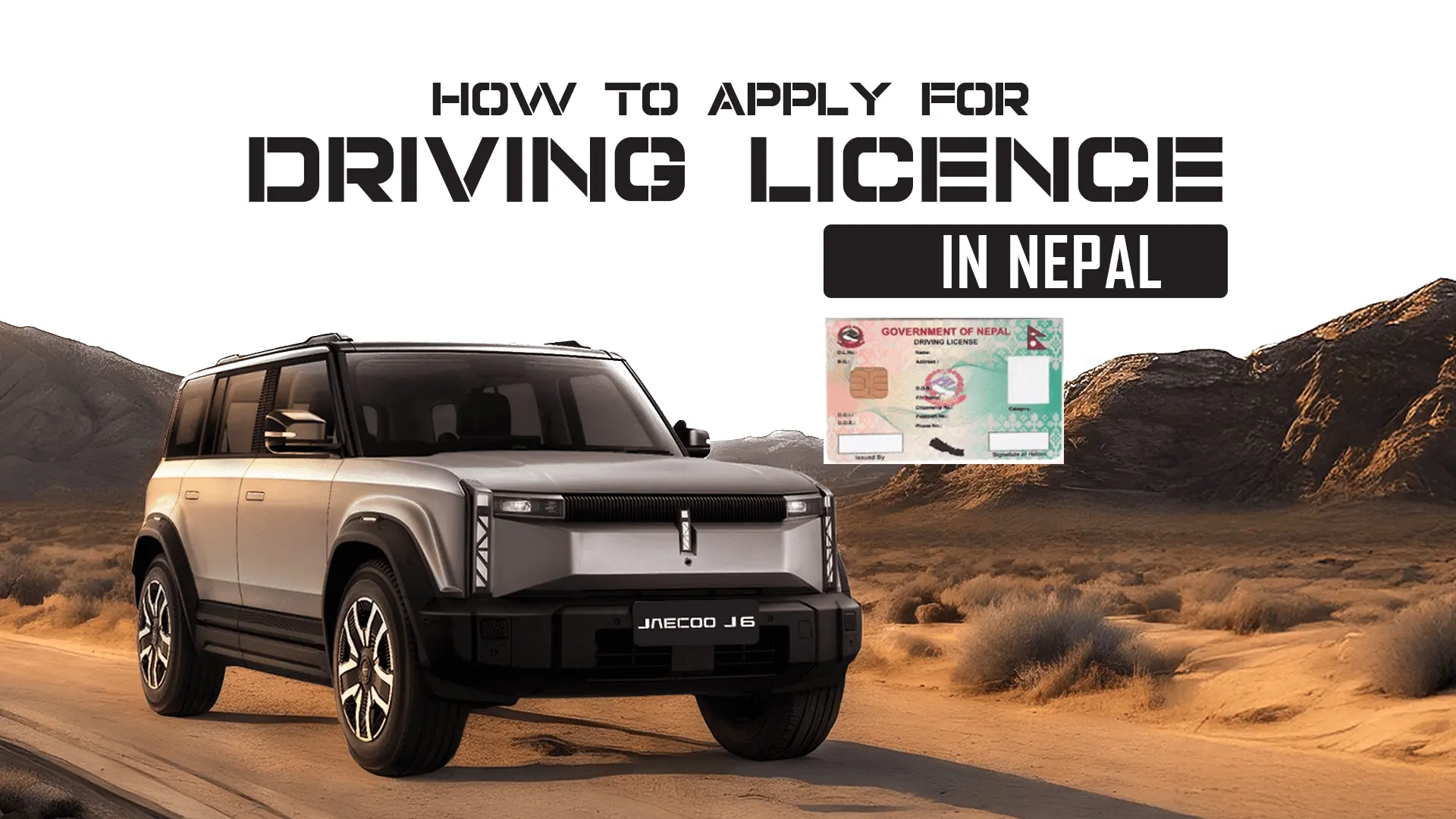
Getting a driving license in Nepal is now easier than ever. You can apply online through the Department of Transport Management (DoTM) in a simple and organized way.
Whether you want a license for a bike, car, or another vehicle, this guide on how to apply for a driving license in Nepal will walk you through the process step by step in easy words.
If you already have a license and need to update it, check our guide to renew your license or add a new category.
Follow the steps given below on how to apply for a smart driving license in Nepal.
Go to the official DoTM portal https://applydl.dotm.gov.np/login. This is where you will register and begin your license application. The website allows users to fill out forms, choose vehicle categories, and select preferred DoTM offices for processing.
Click on “Sign UP” if you are a first-time applicant.
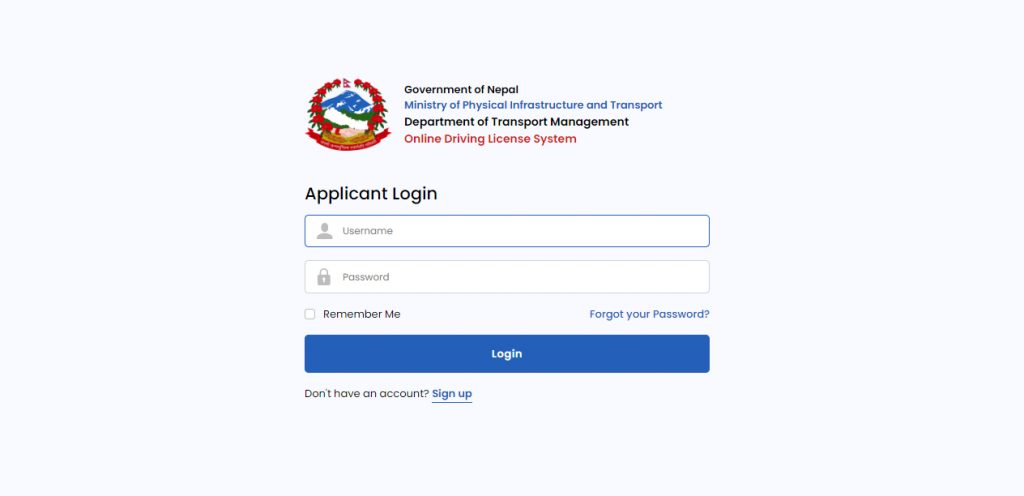
You will receive your new username in 000000-00000-0000 format; save it for future log-ins.
Once logged in, you will be redirected to a new dashboard where you will need to provide the following personal details. This step includes various categories of entry, such as
Also add your blood group and contact details where asked.
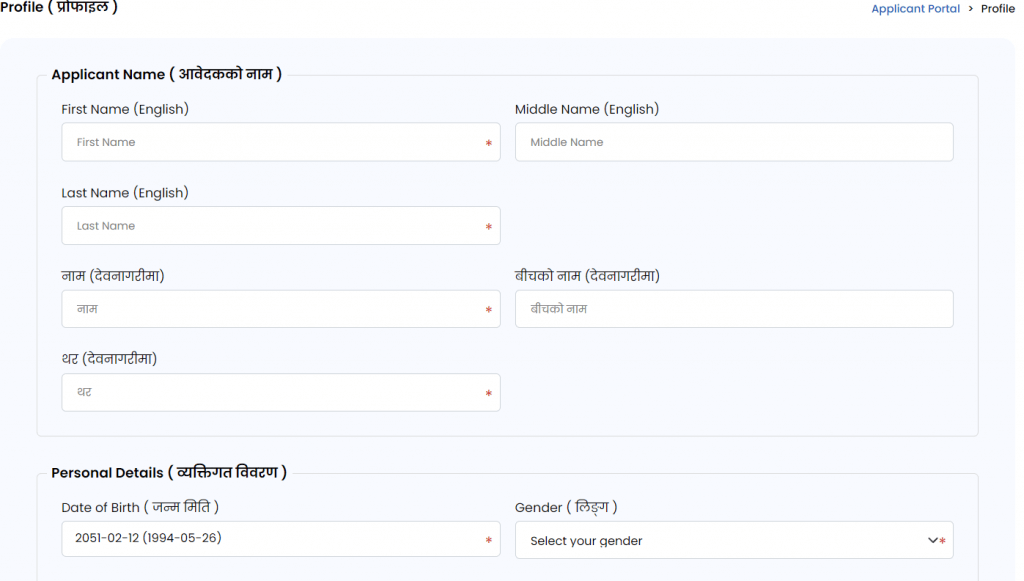
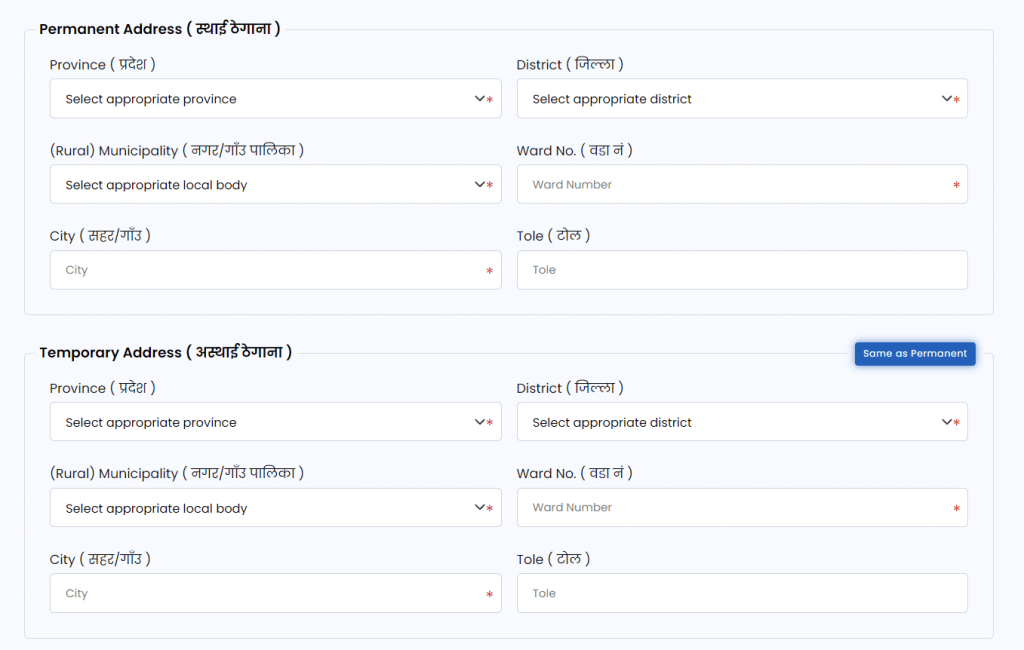
Upload your citizenship photo (back and front) while adding citizenship information.
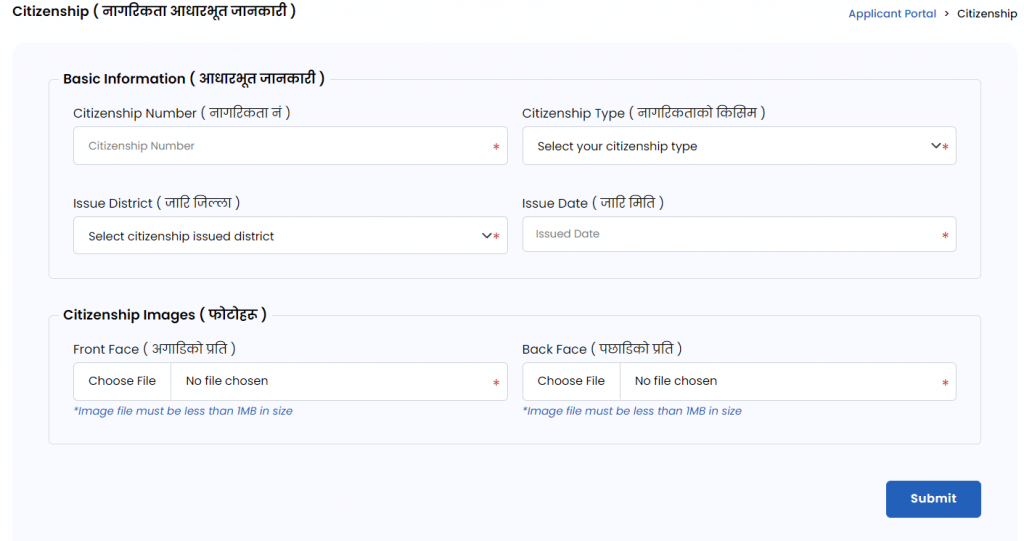

Ensure that all information matches your citizenship certificate exactly. Any mismatch may lead to application rejection.
Select the category of vehicle you want a license for:
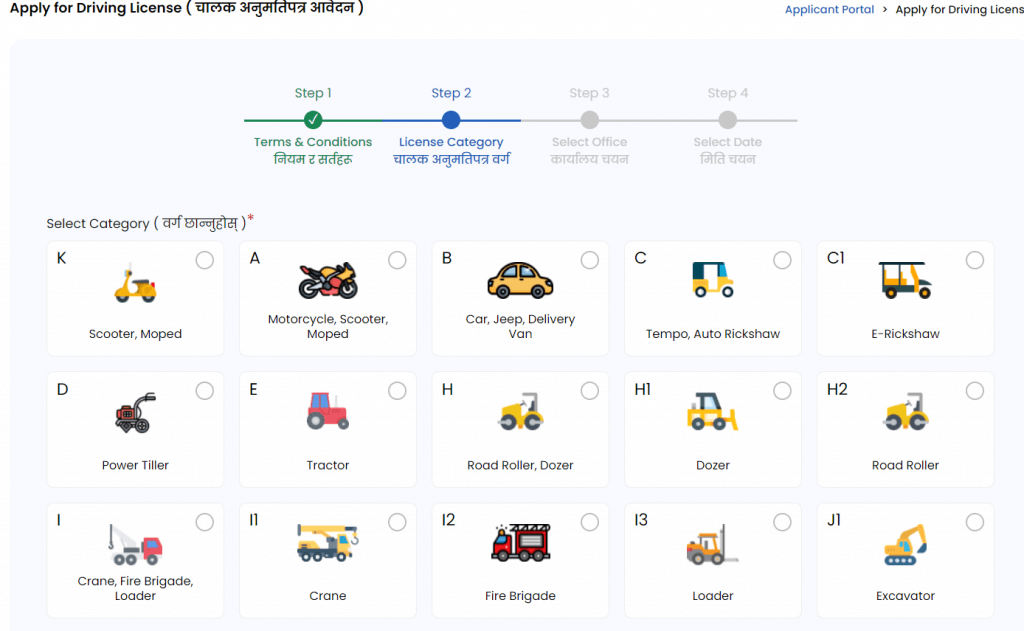
If you plan to apply for more than one category, you’ll need to repeat the process or add categories as instructed on the portal.
After providing all the information, accept the terms and conditions and select a category. Choose your Province and the nearest DoTM office for the test and license processing.
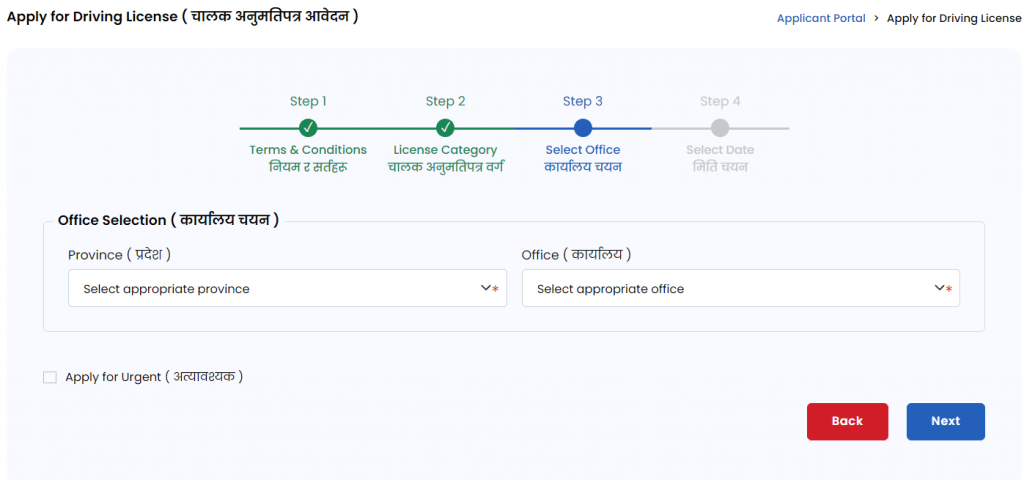
Each office has a limited daily quota for applications, so try to log in early in the morning when new slots open.
After selecting the office, choose your appointment date for biometrics and document verification. However, you can only choose days when the quota is still available. On the right side of the form, you can see the occupied days.

If all slots are full, wait until the next available date or check the system at different times, as cancellations can reopen slots.
Afterward, click on the apply button. An OTP will be sent to you at your registered mobile number for final verification. Enter the OTP to complete your online registration form.
You will be redirected to the homepage, where you can see your information and notification of application completion.
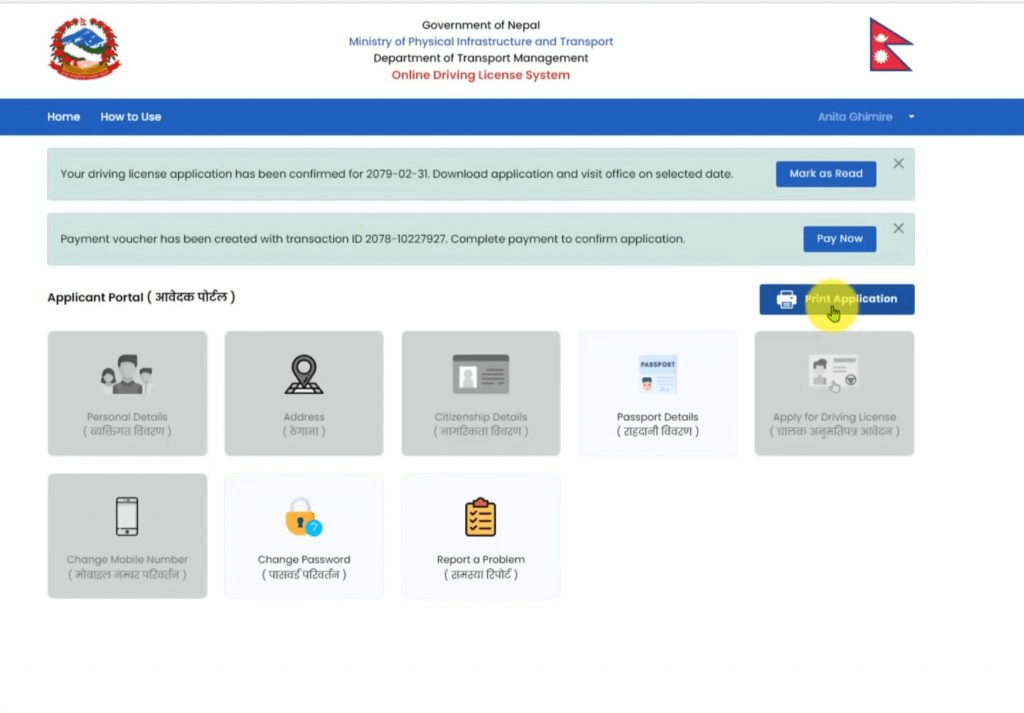
From the home page you can print the driving license application form. Download and print the form and attach your passport-size photo and your signature before submitting to the DoTM office.
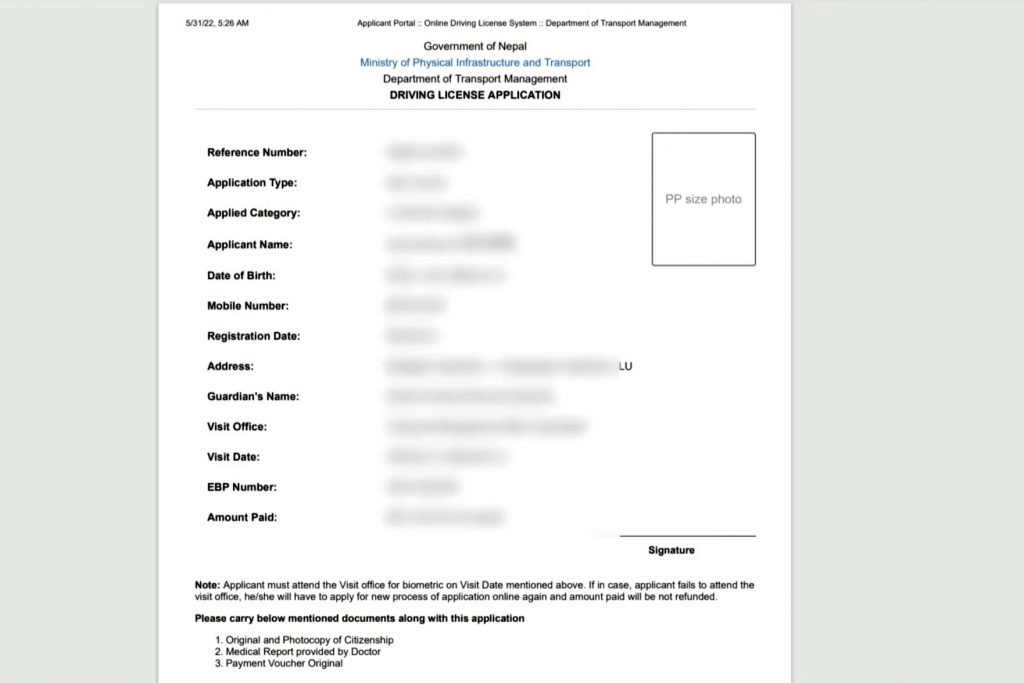
This printed slip must be taken to the DoTM office on your appointment date.
On your scheduled date, visit the chosen DoTM office with the following documents:
At the office, you’ll go through the following steps:
Note: You will need to pay the fee of Rs.500 for every trial.
After completing these processes, you’ll receive your written exam admit card and be informed about the exam schedule.
The written exam tests your knowledge of:
The exam is usually multiple-choice and conducted digitally or on paper.
You must score the minimum passing mark of 50 to proceed to the trial test. Results are typically published the same or next day on the office notice board or online.
If you fail, you can retake the written test after a short interval of 10 days (as per DoTM rules). Resubmit your documents along with your admit card to the DoTM office.
After passing the written exam, you will be scheduled for the practical trial test. This test assesses your actual driving skills.
For Two-Wheelers (Category A):
For Four-Wheelers (Category B):
In order to pass your trial exam, you will need at least 70 points for both kinds (2-wheeler and 4-wheeler).
You are allowed three trial attempts within 18 months of your written exam. If you fail all three, you must reapply for the license from the beginning after 90 days.
Once you successfully pass both the written and trial exams:
Until your card is issued, you may receive a temporary driving slip, which legally allows you to drive within Nepal.
When you receive the SMS or notification:
This card contains your personal details, vehicle category, license validity, and unique QR code for verification.
A Nepali driving license was generally valid for five years. But after a recent news update, a new policy extends driving license validity to 10 years for individuals under 60.
While those above 60 will retain a 5-year validity period for safety reasons.
You can renew it at the same office before it expires. Renewal involves a short medical check-up and fee payment—no written or trial tests are required unless the license is long expired.
How to Add Category & Renew License
With Nepal’s online driving license system, getting your license has become faster and more transparent.
However, due to high demand, appointment slots can fill up quickly—so plan ahead and double-check your details before submission.
Once you clear all stages, you’ll officially hold a Nepali driving license—ready to take the wheel of your new Omoda & Jaecoo vehicle with full confidence and legal assurance.